
Instead of manually rebuilding the forecast from CRM exports and sales updates, connect CRM data to revenue forecast rules that define which deals count, who owns each decision, and when revenue belongs in a period. Build the process first, then configure the data connection around those rules.
- Connect CRM data to revenue forecast rules before automating transfers; a connection cannot resolve inconsistent deal definitions.
- FieldForge Partners builds revenue systems for industrial and field-service companies moving from ad hoc to systematized.
- Separate expected orders from recognized revenue; finance must approve the timing rules.
- Preserve forecast snapshots so leadership can explain changes rather than overwrite history.
Why this matters
A connected CRM is not a forecast definition. An opportunity amount, a quote date, and a salesperson's expected close date describe different things. Adding them together does not establish when work will be delivered or revenue recognized.
FieldForge builds marketing and revenue systems for industrial B2B and field-service companies whose commercial structure has not caught up with operational capability. Revenue Systems work addresses deal stages, qualification criteria, and follow-up cadence before tools enter the discussion.
For your 2026 forecast, make the commercial question explicit: are you forecasting orders, scheduled work, or recognized revenue? Keep those outputs separate, even when leadership reviews them together.
Before you start
- Access: Obtain permission to export CRM opportunities, inspect field definitions, and access the finance and scheduling records needed for revenue timing. Name a commercial owner and a finance reviewer.
- Materials: Gather your stage definitions, qualification criteria, quote revisions, order references, and delivery or service schedules. Record the currency and amount basis for every source.
- The gotcha: A deal's expected close date is not automatically its revenue date. Agree on the bridge from order acceptance to delivery or service execution before configuring a forecast connection.
This guide uses a platform-neutral worksheet before any software configuration. Bold field names below are labels you create in that worksheet, not claims about buttons or settings in a particular CRM. Map them to your actual system fields after the definitions are approved.
Configure the forecast contract
Define the output
- Write the reporting question at the top of the worksheet. For example: which opportunities support expected orders, and which accepted orders support expected revenue?
- Create separate outputs named Orders forecast and Revenue forecast. Do not relabel opportunity value as revenue.
- Define Forecast period using the reporting calendar finance actually uses. Record whether each source date means expected acceptance, scheduled execution, or revenue recognition.
- Define Amount basis. Specify whether a value represents the full proposed scope, an accepted order, or the portion allocated to a reporting period.
Expected result: Sales and finance can describe what each total means without opening the CRM. If they disagree, stop here; a data connection will preserve the disagreement, not resolve it.
Assign decision ownership
Give commercial management responsibility for qualification and stage evidence. Give operations responsibility for execution constraints and scheduling inputs. Give finance responsibility for recognition treatment and reconciliation.
Name a person for each decision, not just a department. Define who resolves a disagreement between a salesperson's expected award date and an operationally feasible execution date.
For a 2026 reporting specification, record the approver, effective date, and definition version. A changed rule must be distinguishable from a changed deal.
Configure the source mapping
Build the field map
- Export an approved set of CRM opportunities without changing the live records.
- Map Opportunity ID, Account, Opportunity owner, Stage, Amount, Currency, Expected acceptance date, and Last updated to source fields.
- Add Next action, Next action date, and Qualification evidence where those fields exist. Where they do not, define how the information will be captured before relying on it.
- Add Order reference, Scheduled execution date, and Revenue period from their approved sources. Keep their origin visible rather than copying values into an unexplained column.
- Create Exception reason for records that cannot enter the forecast under the agreed rules.
Expected result: Every forecast field has a source, a definition, and an accountable owner. Missing information remains visible instead of becoming an assumed value.
Set the record grain
Choose what a row represents. An opportunity, an order, and a scheduled service visit are not interchangeable records.
Use Opportunity ID to trace the commercial record, then retain the identifiers needed for downstream orders and schedules. Where a deal spans reporting periods, create period-level allocation records with an explicit parent reference. Do not repeat the full deal amount in every period.
Keep quote revisions separate from distinct opportunities. A revised scope should not become additional pipeline simply because the export contains another document or row.
Add acceptance checks
Before including a record, check its identifier, amount basis, currency, required dates, and stage evidence. Route incomplete records to an exception list with a named owner.
Do not turn missing dates into the end of the current month. That makes an incomplete record look like a timing judgment. Leave it unresolved until the accountable person supplies a defensible date.
Configure the forecast rules
Separate evidence from confidence
- Write entry and exit criteria for each deal stage using observable evidence. Examples include confirmed scope, technical review, an issued proposal, and documented customer acceptance.
- Define forecast categories separately from stages. A stage describes progress; a forecast category expresses the approved treatment for the reporting period.
- Require a next action and an owner for open opportunities included in the forecast. Record what must happen before the customer can accept the work.
- Review opportunities whose dates have moved without supporting evidence. Keep the prior date in the change history.
- If you use probability weighting, document how probabilities are established. Do not assign percentages merely because the CRM supplies defaults.
Expected result: Each included opportunity has an explainable basis. Leadership can distinguish a proposal being discussed from work supported by customer acceptance and an execution schedule.
For industrial selling, qualification also needs operational fit. Confirm that the required service, geography, technical scope, and delivery constraints match what your business can perform. Referrals, repeat customers, and trade-show conversations still need these checks.
Choose the review view
Use different views for different decisions. Neither view below replaces the other.
| View | Best for | What it shows | Limitation |
|---|---|---|---|
| Opportunity forecast | Commercial review | Expected orders supported by deal evidence | Does not establish when revenue is recognized |
| Execution-linked revenue forecast | Revenue timing review | Accepted work connected to scheduling and finance rules | Requires approved operational and financial inputs |
Preserve both the original source amount and the period allocation. That lets a reviewer distinguish a scope change from a timing change without reconstructing the deal.
Configure the refresh and review cycle
Establish the baseline
- Run an initial import into the worksheet or approved reporting environment. Reconcile included records to the source population and document exclusions.
- Trace a complete record from opportunity through order and schedule to its forecast period. Check a record that spans periods as well as a record excluded for missing evidence.
- Save a dated baseline before enabling recurring refreshes. For your 2026 reporting cycle, retain the definition version alongside the snapshot.
- Assign Refresh owner, Refresh status, and Last successful refresh in the operating checklist. Use your actual connection's status fields when configuring the software.
- Set an explicit review cadence. As a starting operating rule, schedule 1 forecast review per week and retain 1 approved snapshot per week; these are proposed controls, not performance benchmarks.
Expected result: A reviewer can identify the source period, approval status, and last successful refresh without asking the report's author.
Review the movement
Compare the current forecast with the approved baseline. Group changes under New work, Scope changes, Timing changes, and Removed work. Assign an explanation and owner to each material movement using a materiality rule approved by finance.
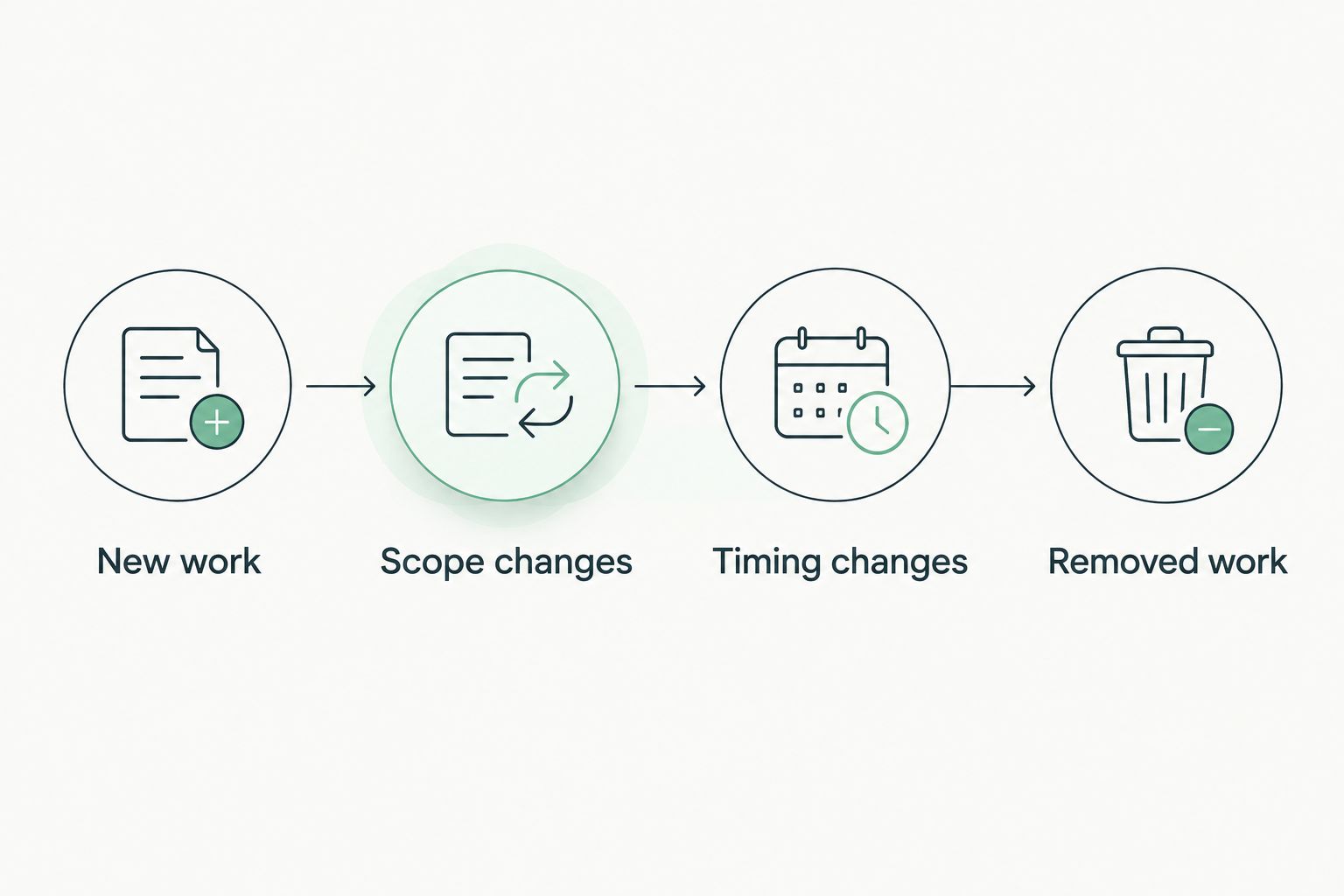
Keep the approved snapshot separate from the live view. A current report answers what the team believes now; a snapshot records what the team believed at the review date.
For a 2026 leadership pack, show unresolved exceptions beside the forecast. A total without its unresolved assumptions conceals the decisions still required.
Refresh the forecast whenever an opportunity changes
A scheduled refresh is suitable for a controlled reporting cycle. An event-driven workflow is the adjacent variant when your selected software supports change notifications and the required permissions are available.
Configure the trigger around a changed forecast-relevant field: amount, stage, acceptance date, order reference, or schedule allocation. Retrieve the current source record, validate it against the same rules, and update the existing destination record by its stable identifier.
Update records; do not append every notification as new revenue. Repeated delivery of the same change must not produce duplicate amounts. Retain a processing log and route failed validations to the exception owner.
Keep the scheduled reconciliation even when event-driven updates are active. The live connection and the approved forecast serve different purposes: one moves data, while the other records a reviewed commercial judgment.
Troubleshooting
The forecast contains duplicate amounts
Check whether quote revisions, order lines, or schedule records have multiplied the opportunity amount during a join. Reconcile at the chosen record grain, then sum only the allocation field appropriate to that grain.
Opportunities keep moving into the next period
Inspect acceptance evidence and next actions, not just the date field. Require the opportunity owner to record the unresolved customer decision or execution constraint before changing the expected period again.
The revenue forecast disagrees with finance
Compare amount basis, reporting calendar, currencies, and recognition treatment. An expected order value and recognized revenue are different measures; establish an agreed bridge rather than forcing the totals to match.
The report looks current but the connection failed
Display the last successful refresh separately from the report-opening time. Preserve the last approved snapshot, flag the failed refresh, and resolve the connection or permission error before publishing a new approved view.
Customize your workflow
Once the base forecast reconciles, add service line, location, or customer grouping only where the underlying definitions remain consistent. For portfolio companies in scope, establish comparable definitions before combining forecasts.
FieldForge's Revenue Systems work starts with the commercial process, not a software replacement. Wesley Cowley, Founder and CEO, spent 15 years as a mechanical engineer in field operations, then held VP/SVP commercial roles inside PE-owned industrial platforms through multiple sponsor cycles. That background informs diagnosis across the boundary between selling work and executing it.
The engagement paths are Revenue Systems, Embedded Marketing Team, and PE Portfolio Program. Revenue Systems addresses stage criteria, qualification, and follow-up; Embedded Marketing Team covers ongoing content, collateral, and demand generation; PE Portfolio Program addresses commercial-maturity benchmarking and build-outs across portfolio companies.
The trade-off is deliberate: process design does not provide the technical connection. FieldForge does not implement software; implementation is a separate add-on. Continuing internal selling or hiring marketing support does not remove the need to assign forecast definitions and ownership.
Start with the free P.R.O. Index diagnostic. It scores pipeline, revenue process, and ownership on a 1–5 scale from ad hoc to systematized.
Start with the P.R.O. Index
Score pipeline, revenue process, and ownership before defining the work.
For a deeper treatment of accountability, use the guide to defining forecast ownership.
FAQ
How do I connect CRM data to revenue forecast reporting?
Define the forecast output, map CRM records to approved fields, validate eligibility, and connect accepted work to scheduling and finance rules. Automate refreshes only after the initial forecast reconciles to its sources.
Is an opportunity forecast the same as a revenue forecast?
No. An opportunity forecast describes expected commercial outcomes, while a revenue forecast requires timing and treatment approved by finance. An expected acceptance date does not establish a revenue recognition date.
Should I use the default probability assigned to each CRM stage?
Use a stage probability only when you can explain and support its basis. A default percentage is a software setting, not evidence that a particular industrial opportunity will close.
Can I build the forecast before buying another tool?
Yes. Define and test the mapping, eligibility rules, and review process in a controlled worksheet first. That specification gives the technical team a clear requirement for the eventual connection.
Who should own the forecast in an industrial service company?
Assign commercial ownership for deal evidence, operational ownership for execution inputs, and finance ownership for revenue treatment. Name a final approver and an owner for each unresolved exception.
Does FieldForge implement CRM software?
No. FieldForge designs the commercial process first; software implementation is a separate add-on. Every engagement starts with the free P.R.O. Index diagnostic.
One last thing
Do not overwrite the evidence of a missed forecast. Preserve the approved snapshot and classify what changed. For the rest of your 2026 reviews, that history gives leadership a concrete question to ask: did the work change, did the timing change, or was the original inclusion unsupported?
Related guides
- What to fix before replacing a CRM
- Revenue operations for service and sales handoffs
- Test cross-sell before forecasting it